
Defaults
What every app starts with
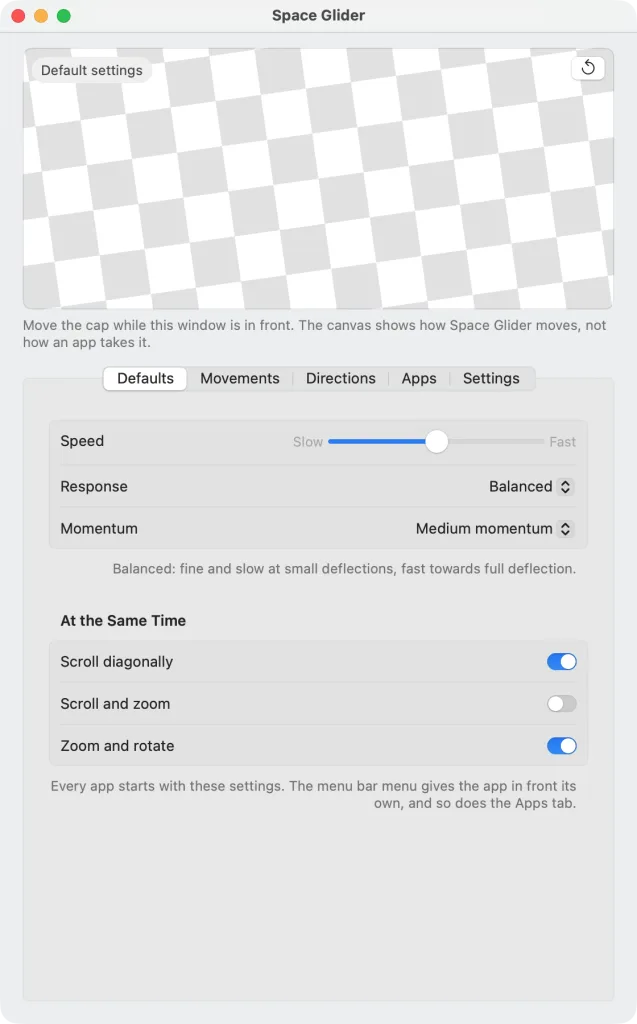
In the “Defaults” tab you set how the SpaceMouse behaves in all apps. Every app starts with these values and follows them until you give it its own – in the menu bar menu or the “Apps” tab. Change something here, and it changes in every app that follows the defaults.
Speed
The “Speed” slider goes from “Slow” to “Fast”. It applies to scrolling, zooming and rotating together, so all three feel alike; zooming and rotating change a little more gently than scrolling, so they stay easy to steer at both ends of the slider.
Response
The “Response” says how the cap reacts to small deflections:
- “Direct” reacts to a light touch; the speed rises evenly with the deflection.
- “Balanced” is fine and slow at small deflections, fast towards full deflection.
- “Precise”: a resting hand does nothing; small deflections creep along, full speed only at the end.
Momentum
The “Momentum” lets the content coast on after letting go of the cap, as after a swipe on the trackpad: “No momentum” stops at once, “Short momentum”, “Medium momentum” and “Long momentum” coast on further and further.
At the Same Time
What may run together:
- “Scroll diagonally”: a slanted movement scrolls diagonally. Switched off, the content moves only in the stronger direction, straight up and down or left and right.
- “Scroll and zoom”: sliding and pushing work together, to pan across Maps while getting closer, for instance. Off from the start, as not every app takes it well; better switch it on for the apps that like it.
- “Zoom and rotate”: pushing and twisting work together, like two fingers on the trackpad. On from the start.